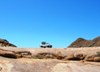
This was a road trip that my wife, Christine, and I did in August 2014 from Johannesburg to Gonarezhou National Park in Zimbabwe, then up to the Zimbabwe Eastern Highlands, turning back south to Chimanimani and Mount Selinda.
At this stage I have completed the part from Johannesburg to the end of the Gonarezhou section. Other parts will follow in due course. As I add new parts / images I will flag that in this thread.
I have experimented with Google's Tour Builder, a Google Earth experiment. The trip report can be found by following this link
It will prompt you (require you) to download the Google Earth Plugin (not the whole of Google Earth - just a plugin for your browser) if your browser does not already have that installed.
For those who just want to browse the (high res) pictures, then please visit my flickr album: 2014 Zimbabwe Gonarezhou, Eastern Highlands and wherever the tracks lead
And just to whet the appetite, here are a couple of (low res) pics.
Thanks for sharing. I will look into this Google tour thing at some stage when I am at a desktop again. So far the Flickr photos look stunning!
CATS
CATS
Wow! Thanks for the effort Andrew! Very good reference for someone who would like to do a similar trip. Beautiful photos!
What do you use to log the coordinates of where the pics were taken?
(Glad to see I'm not the only person still driving around with a Garmin Quest!
)
Johan
What do you use to log the coordinates of where the pics were taken?
(Glad to see I'm not the only person still driving around with a Garmin Quest!
Johan
Johan
Gen 4 GLX 30th Anniversary Edition (Gravel
)
VW Tiguan 2.0TDi (Tar
)
Bushlapa Boabab 4.2 in tow
Gen 4 GLX 30th Anniversary Edition (Gravel
VW Tiguan 2.0TDi (Tar
Bushlapa Boabab 4.2 in tow
Thanks for the compliments, CATSCATS wrote:Thanks for sharing. I will look into this Google tour thing at some stage when I am at a desktop again. So far the Flickr photos look stunning!
CATS
Thanks, Johan.LowRange wrote:Wow! Thanks for the effort Andrew! Very good reference for someone who would like to do a similar trip. Beautiful photos!
What do you use to log the coordinates of where the pics were taken?
(Glad to see I'm not the only person still driving around with a Garmin Quest!)
Johan
This is what I do for gps tagging:
At the beginning of a trip:
1. Fire up the Quest II (which, by the way, is borrowed, but is a great little device - just a pity you cant use the latest T4A etc with it - insufficient memory and no card slot).
2. Get an accurate time from it once it has logged on to a few satellites.
3. Ensure the camera clock is set to the identical time and correct time zone.
Before the start of each day:
4. Download the previous day's tracklog from the GPS onto my laptop and save it with the date as filename - like 20141016.gdb, then clear the tracklog on the GPS.
5. Keep doing that each day of the trip, so at the end I have a whole bunch of daily tracklogs.
6. When I download the pics from my camera, the Nikon Transfer software does the same thing - i.e. creates a separate folder for the pics from each date shot.
When I get back from a trip:
7. I use gpsBabel to make a .gpx for each gdb.
8. Then I use gpicsynch to basically update the metadata of each image files with the closest coordinates based on the date and time of the image. I set a 600 second window on this - i.e. if there is no gps data point within 600 seconds of the image datetime then nothing is updated in the image file.
All you have to do is tell gpicsynch where the gpx file for the date is and where the image file for the same date is and then it does the rest.
As gpicsynch does its thing, it also creates a kml file for Google earth if you want to use that. GPSBabel can also create a kml file for the gdb or gpx, but then that kml file wont have references to images.
If I need to manually edit or add some gps co-ords to an image file then I use Geosetter.
All the abovementioned utilities are freeware.
Yeah, I saw your Quest in the window and smiled to myself!
Quote.
(Glad to see I'm not the only person still driving around with a Garmin Quest!
)
Well I still have my Quest, though "upgraded" to a Nuvi 500 a couple of years ago. Other than the larger screen size, I think it's a downgrade. Where are those selectable fields ? I miss the altitude in particular.
dave
(Glad to see I'm not the only person still driving around with a Garmin Quest!
Well I still have my Quest, though "upgraded" to a Nuvi 500 a couple of years ago. Other than the larger screen size, I think it's a downgrade. Where are those selectable fields ? I miss the altitude in particular.
dave